

| Release | BloodHound | SharpHound | AzureHound |
| 2026-01-14 | v8.5.0 | v2.8.2 | v2.8.3 |
BloodHound
New Auditor RoleGrant appropriate access to users who need visibility without modification permissions. The new Auditor role provides read-only access to all application settings, configurations, findings, audit logs, and integration service accounts (like the BloodHound Enterprise Splunk App).This eliminates the need to grant full Administrator permissions just to access audit logs or view system configurations.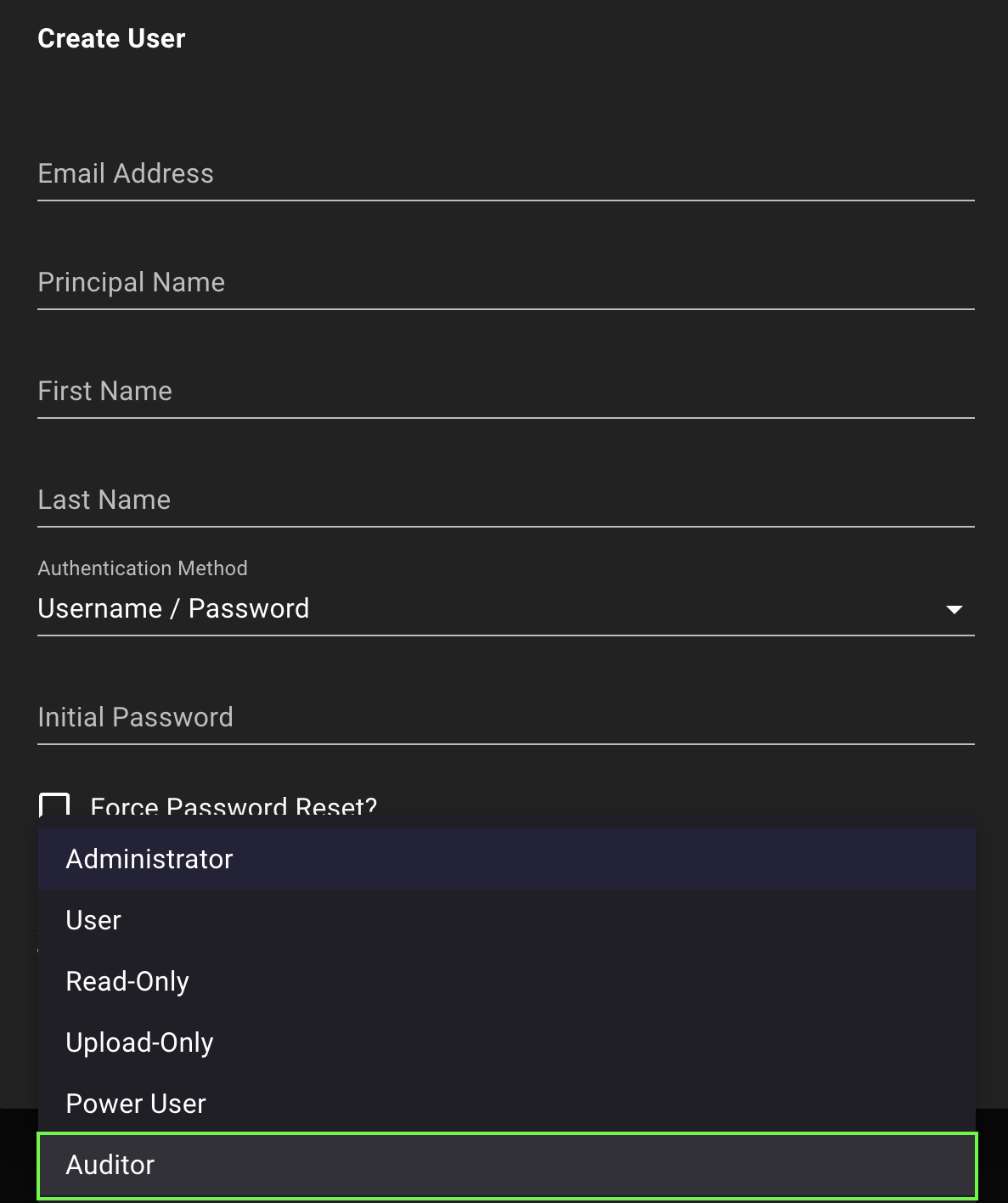
BloodHound
Privilege Zone Rules (Renamed)Navigate Privilege Zones with confidence using the new “Rules” terminology instead of “Selectors.”Based on user feedback, we found “Selectors” caused confusion about defining zone membership. The new name better reflects that rules define the criteria that determine which objects belong to a zone.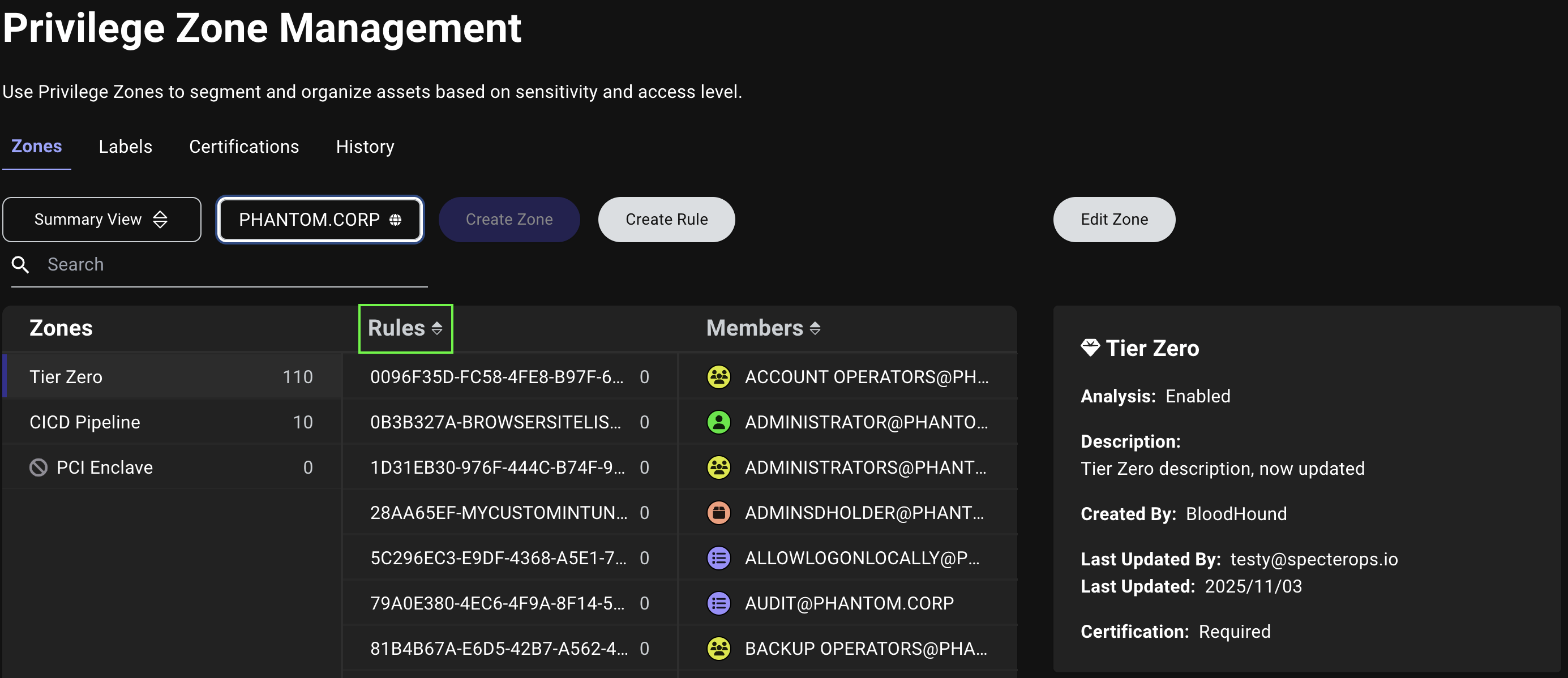
BloodHound
Context-Aware Edit ButtonAvoid accidentally editing the wrong component. The Edit button on the Privilege Zone Management page now dynamically updates to show exactly what you’re editing.When you click the Zones and Labels tabs, you’ll see Edit Zone and Edit Label respectively. If you select a rule in the detail view, the button changes to Edit Rule.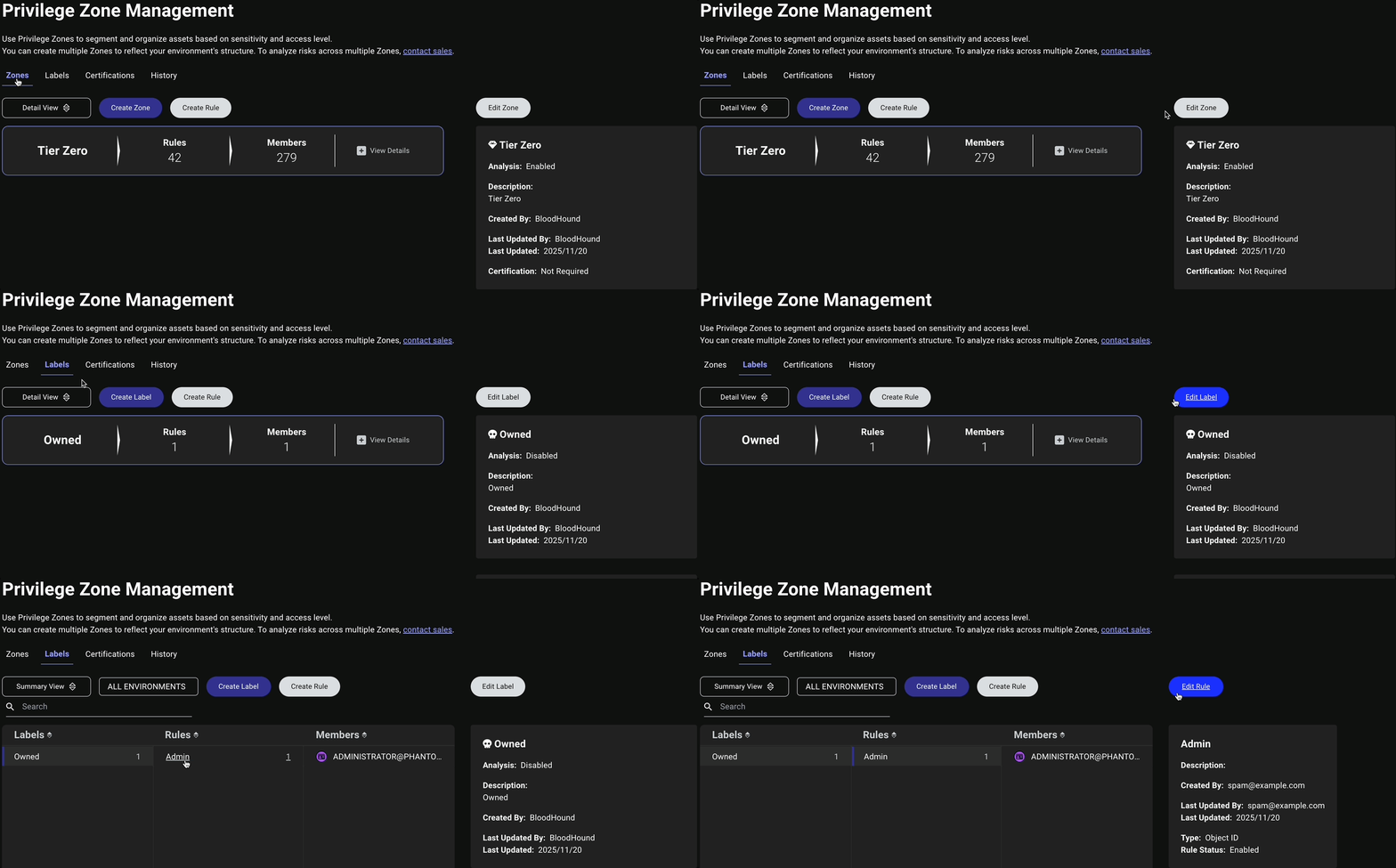
BloodHound
Improved Selection HighlightingKnow exactly what you’re working on in the Privilege Zone Management page with clearer visual feedback.When you select a zone, label, or rule in the Detail view, the vertical blue highlight bar now appears beside your selected item only, making it immediately obvious which component is active.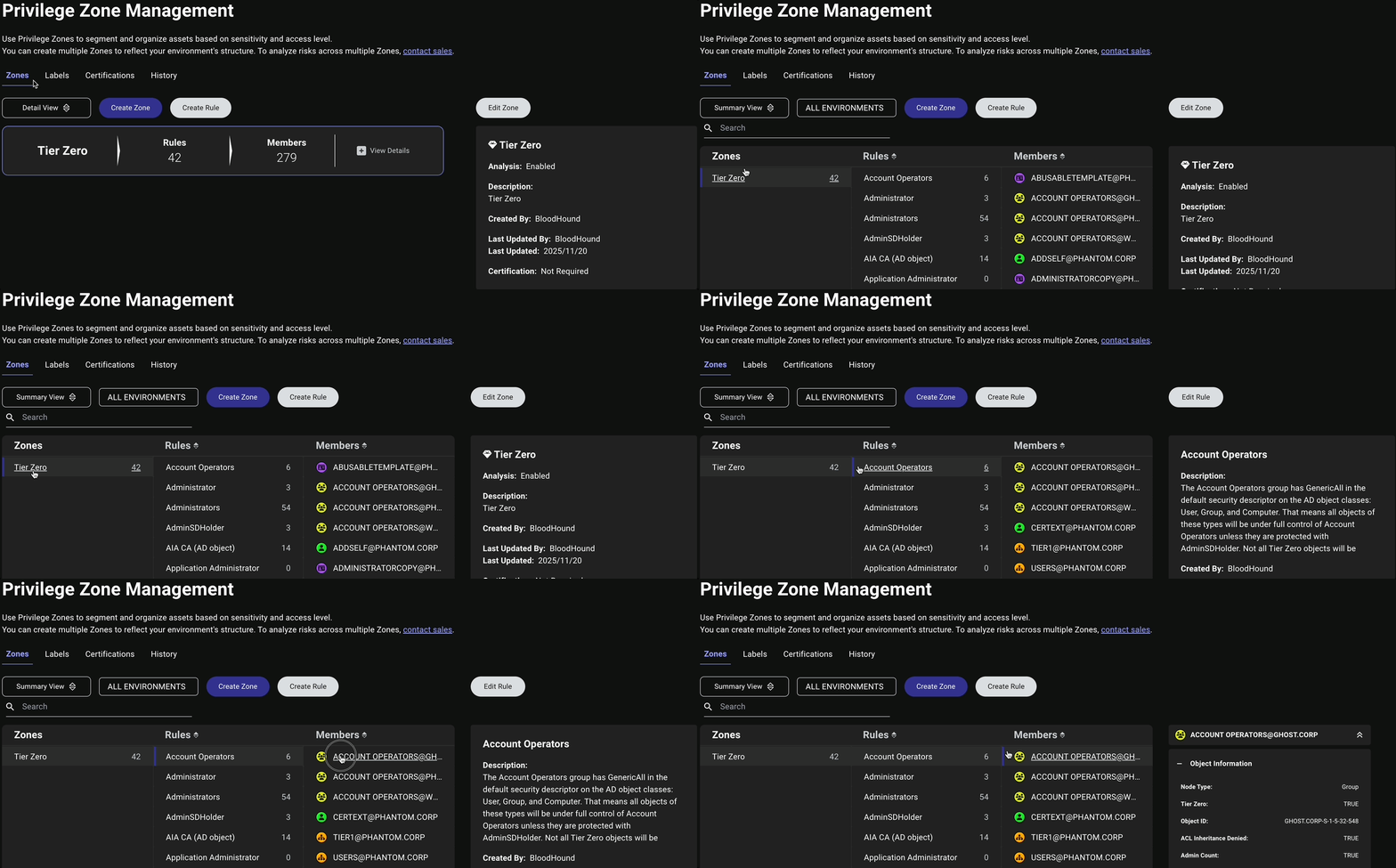
BloodHound
Smarter Certification DefaultsAutomatically tag objects by default after creating a new rule. New rules now default to Initial Members certification instead of Off, making zone management more intuitive and aligned with user expectations.
BloodHound
Environment Filter on Certifications TabFilter certifications by specific environments. The Certifications tab on the Privilege Zone Management page now includes an Environment filter for more targeted certification management.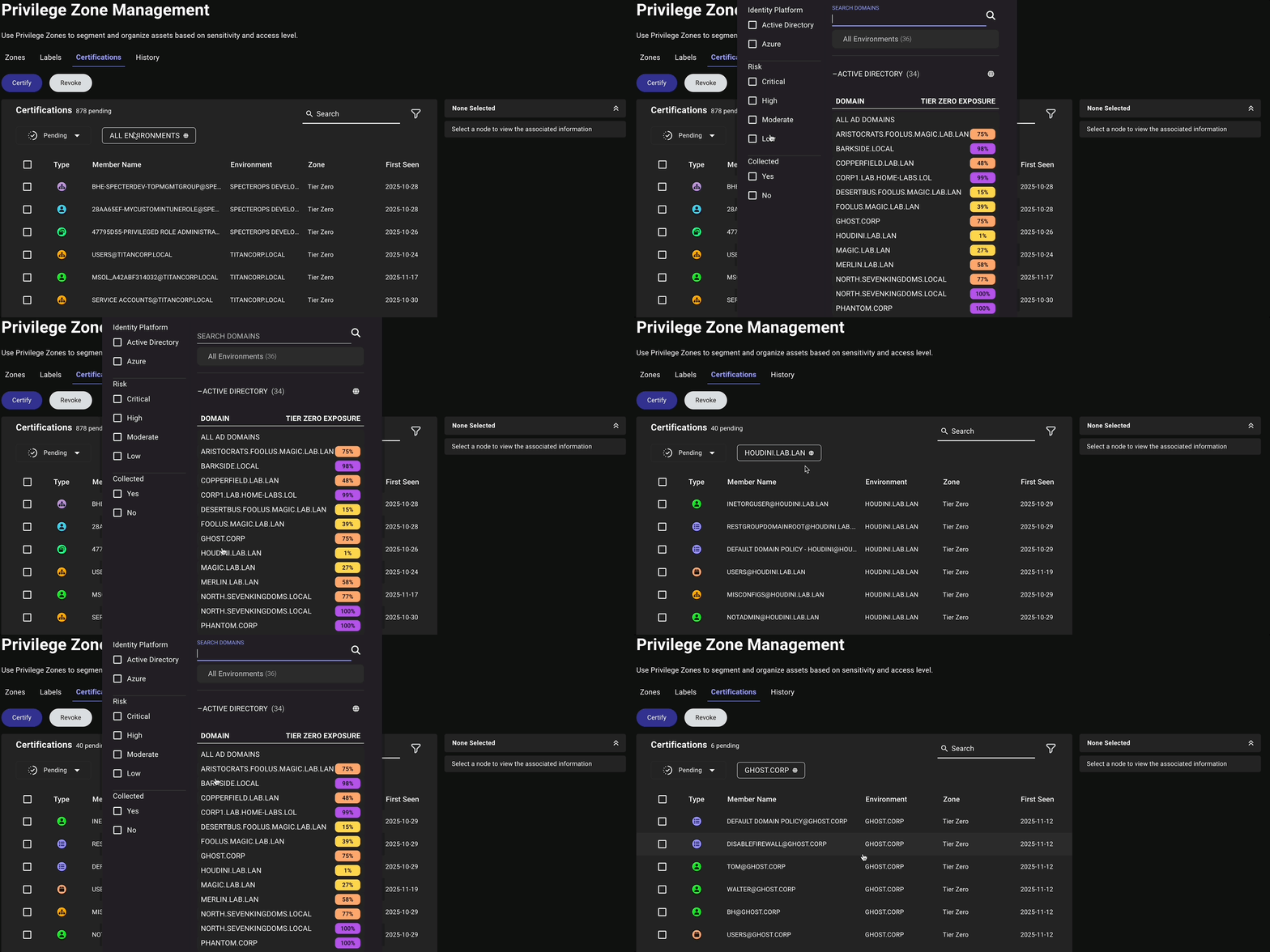
BloodHound
Default Glyphs for Built-in Zones and LabelsQuickly identify critical assets and compromised objects with default icons. Objects tagged to the built-in Tier Zero zone and Owned label now display gem () or skull () icons by default.
BloodHound
Visual Object Type IndicatorsScan and understand the composition of your zones at a glance. The Total Count panel on the Privilege Zone Management page now displays icons next to each object type, helping you quickly identify what types of objects (e.g., users, groups, computers) are included in each zone.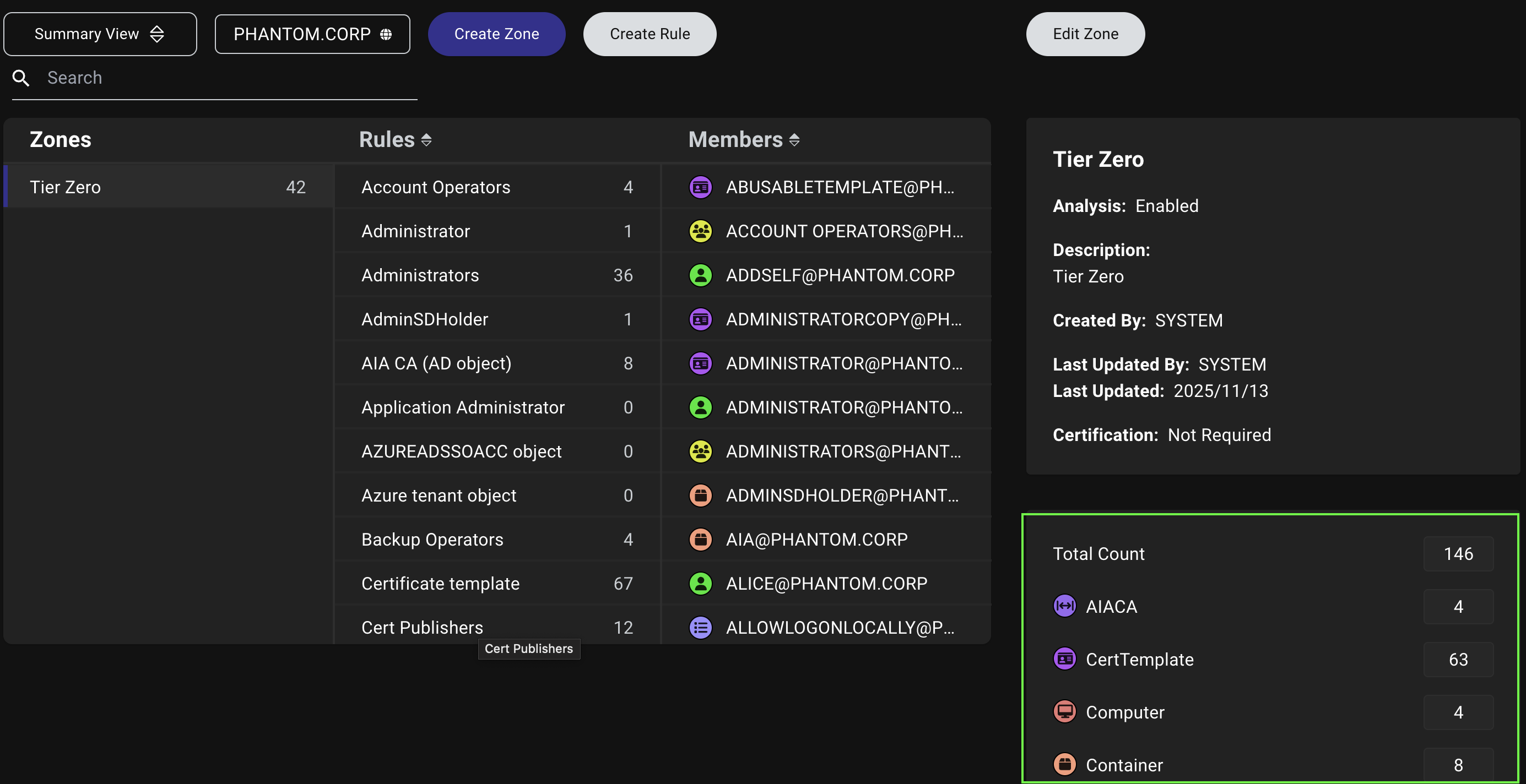
BloodHound
Clearer System AttributionDistinguish between system defaults and user modifications. System-created rules and automatic certifications now show BloodHound as the creator instead of SYSTEM.This makes it clearer throughout the interface, including the History tab and rule details, which actions BloodHound automatically performed versus those made by your team members.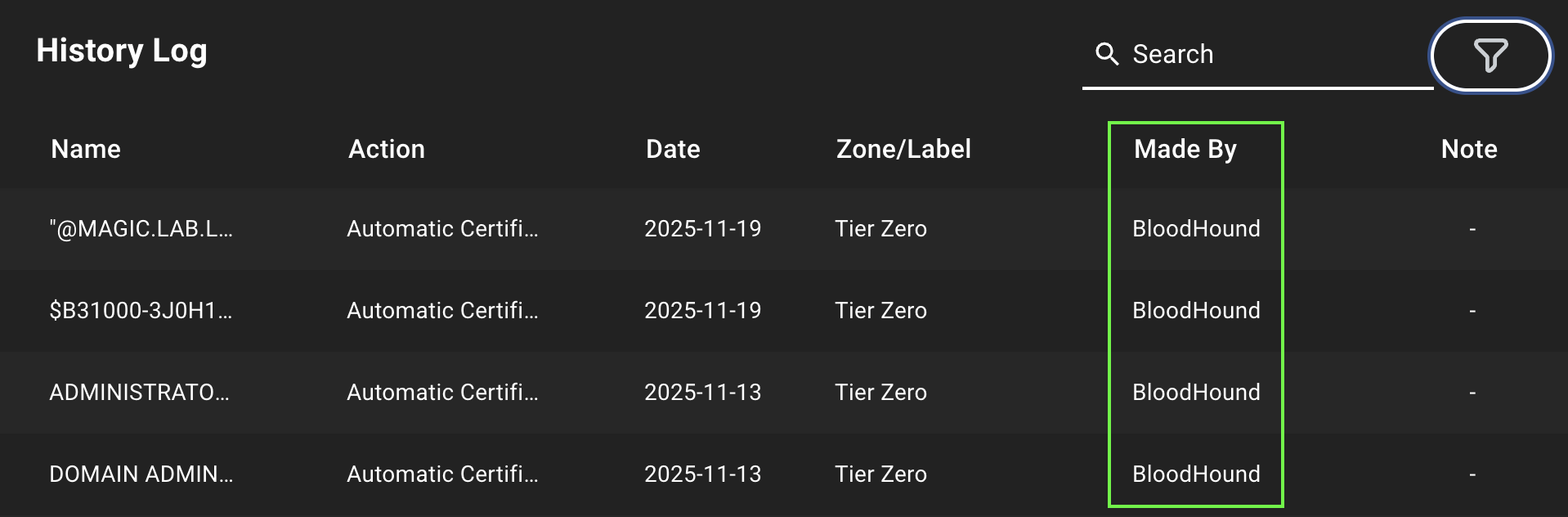
BloodHound
Consistent Zone TerminologyNavigate Privilege Zones with confidence using the new “zone” terminology instead of “tier”. We’ve updated terminology across Privilege Zones to consistently use “zone” instead of “tier”.This includes changing references like “multi-tier” to “multi-zone” throughout the interface.
BloodHound
Better Guidance for Zone ConfigurationGet in-product guidance about Privilege Zone configuration options. The Enable Analysis option when editing a zone now includes a helpful tooltip explaining what it does:
Enables Analysis to produce Attack Path Findings for the Zone.We’ve also refined field labels throughout the zone details panel to be clearer and more consistent.
BloodHound
More Accurate Completeness MetricsTrust your completeness metrics to reflect real-world coverage. We’ve refined how BloodHound calculates session and local group completeness so it now reflects only truly active computers (enabled and logged in within the last 14 days).Check the updated tooltips on the Posture and Data Quality pages to understand what “active” means and prioritize expanding collection where you see gaps.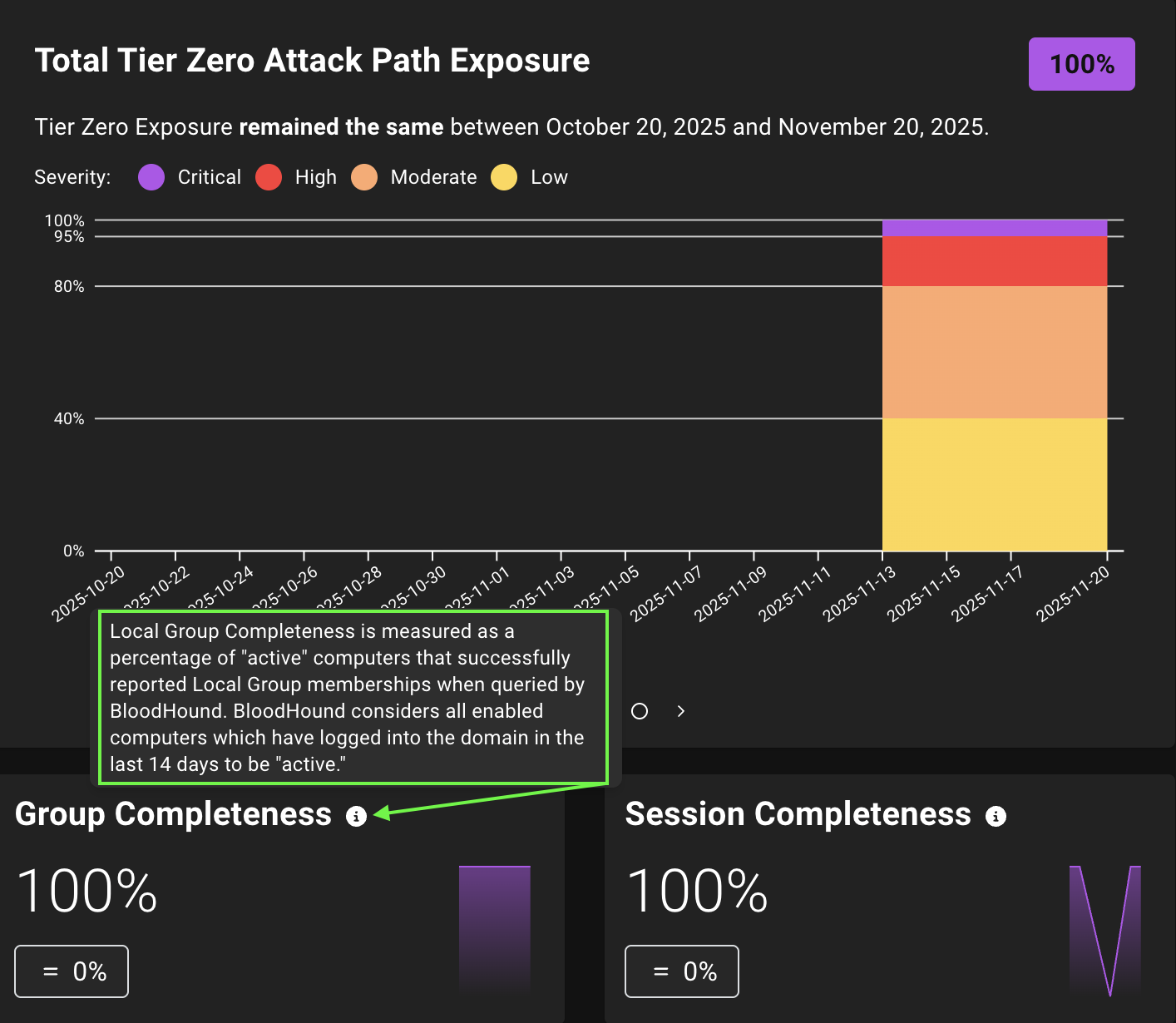

BloodHound Enterprise
Revised Kerberos Delegation Risk Finding Enterprise EditionProtect Tier Zero from Kerberos delegation abuse. We renamed and re-wrote the legacy Kerberos Delegation on Tier Zero Objects finding to Tier Zero Objects Lack Kerberos Delegation Protection to more accurately communicate the risk presented by the finding.This finding only applies to Tier Zero going forward.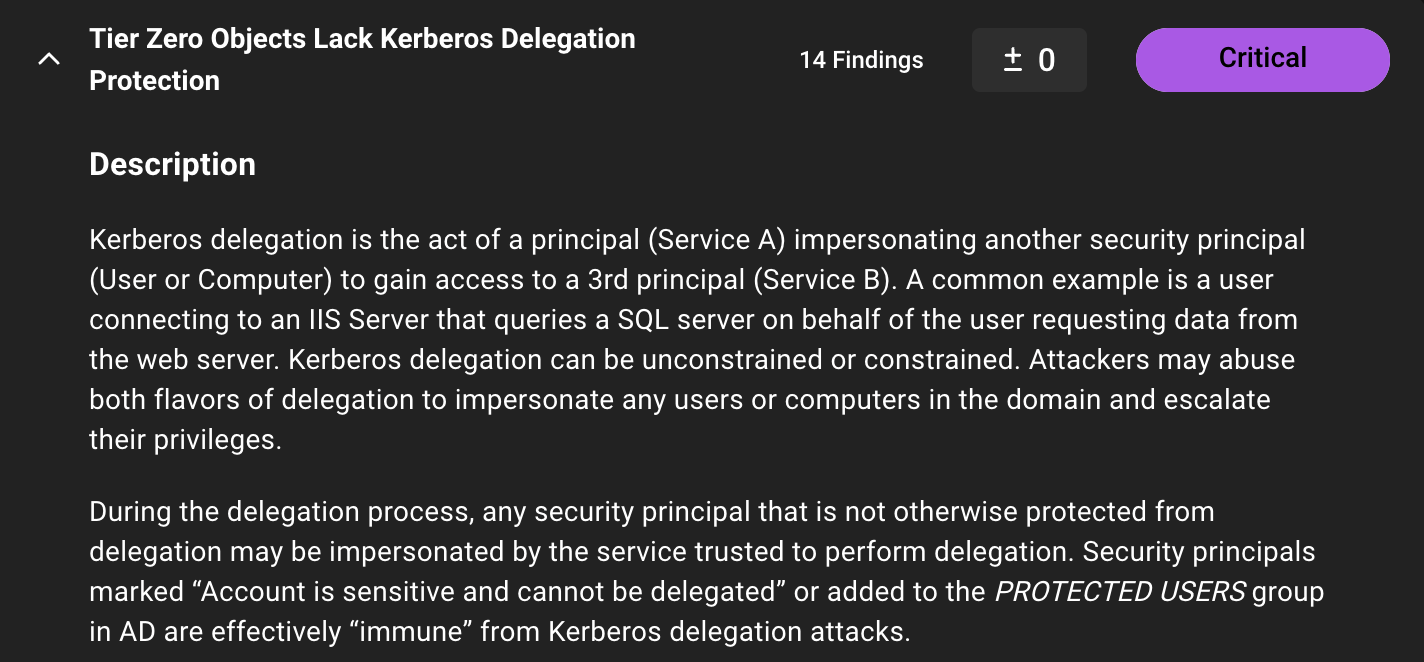
BloodHound
Product Edition in Version APIIdentify the BloodHound edition programmatically. The
/api/version endpoint now includes a product_edition field in its response body, allowing you to distinguish between Community and Enterprise editions.BloodHound
-
Zone Management
- Improved clarity of error messaging when users attempt to add a rule that already exists.
- Removed outdated Tier Zero/non-Tier Zero labels for non-Tier Zero zones in Findings panel titles. Enterprise Edition
- Fixed an issue where changing rule certification from Initial Members to Off left existing members certified instead of pending.
- Fixed an issue causing duplicate rules across zones and labels.
-
Analysis and Data Quality
- Ensured
CanRDPedges are properly created when Citrix RDP support is enabled and resolved stale edges behavior. - Removed unnecessary Tier Zero verbiage from remediation long descriptions. Enterprise Edition
- Ensured
-
UI and Display
- Updated the messaging in the Client Token Info modal to provide relevant guidance based on collector client type (AzureHound or SharpHound). Enterprise Edition
- Resolved missing graph icons when opening Explore page deep links in a new tab. Enterprise Edition
- Fixed an issue where date range validation errors in the Finished Jobs filter could only be resolved by changing the start date, not the end date.
-
API and Backend
- Fixed an issue preventing users with the Admin role from deleting users who have uploaded data on the File Ingest page.
- Corrected inaccurate description of the
asset_group_tag_idquery parameter for theGET /api/v2/posture-history/{data_type}API operation. - Fixed an issue preventing the API from returning results for multiple environments.
- Fixed an issue causing a “Failed to upload” error message when Windows users attempted to upload
.zipfiles in the Saved Queries import dialog. - Fixed an issue where uploaded OpenGraph files with invalid edge kinds caused Cypher queries to fail. Validation now ensures that only alphanumeric characters and underscores are allowed.
- Fixed an issue preventing SSO-authenticated administrators from removing MFA for managed users.
SharpHound
- Added two-minute timeout protection to prevent jobs from hanging or taking a long time to complete (especially for local groups and sessions). Enterprise Edition
- Added log archiving for failed jobs to prevent loss between jobs and improve troubleshooting. Enterprise Edition
- Added a startup log entry that records the running SharpHound and SharpHound Common versions in the
run.logfile. - Added optional runtime logging, improved delegation data validation, and strengthened SID validation to reduce false positives.
AzureHound
Resolved an issue where certificates used for SSL inspection prevented AzureHound from communicating via TLS.